School managementCustom management software · in production
The school portal
One portal,
for the whole school.
Register, grades, attendance and messages in one place, for families, students, teachers, the office and management. Made for the phone and for the computer.
- Families
- Students
- Teachers
- Office
- Management
9:41
3connected systems
800+users every day
3sites, 4 school levels
5access profiles
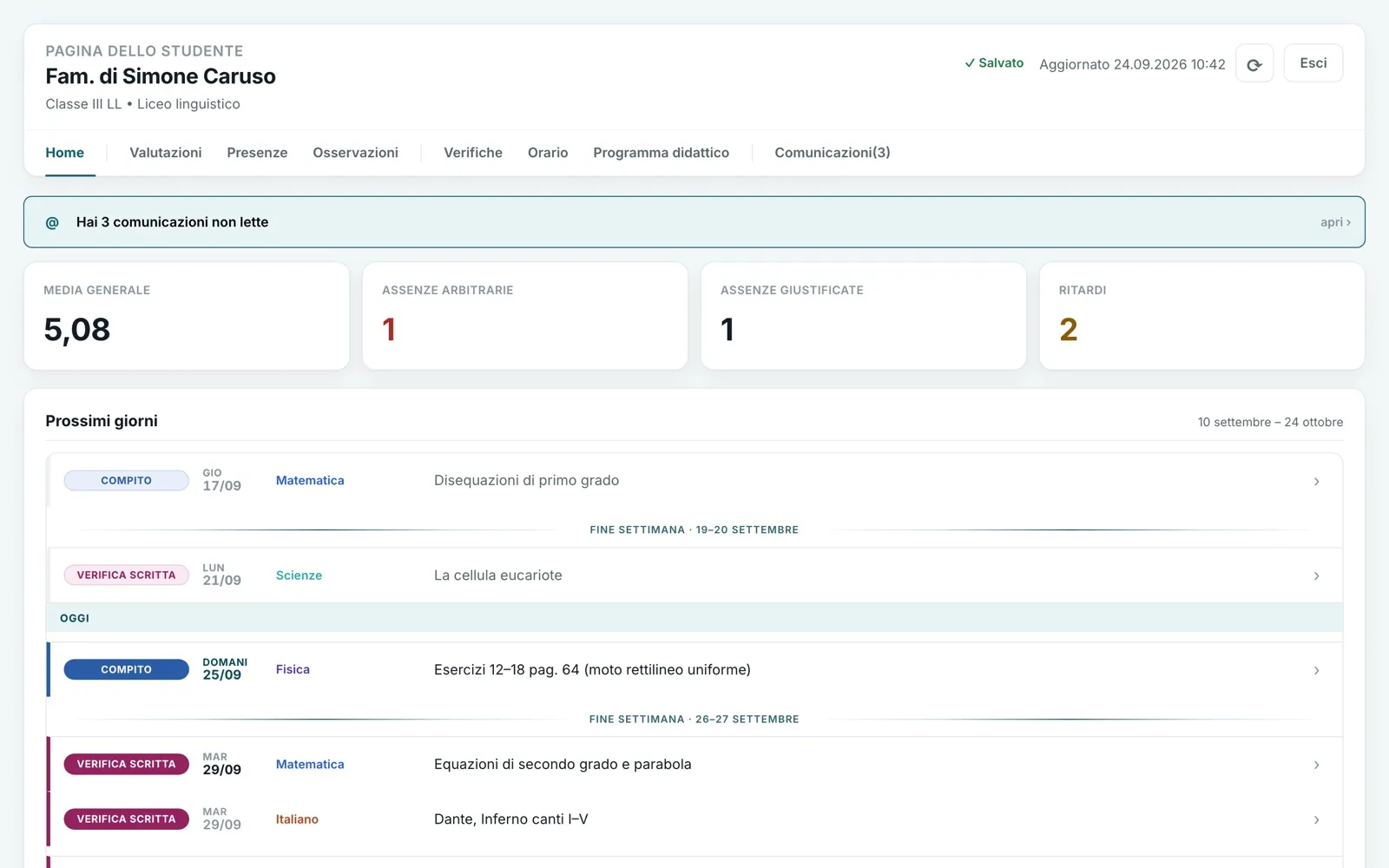
Families · Home
Everything that matters,
as soon as you sign in.
- One code, all childrenWith several children there is a switch with their names: the whole page follows the chosen child, without signing in again.
- Unread messagesThe notice sits at the top and leads straight to the conversation.
- Four numbersOverall average, unexcused absences, excused absences, late arrivals.
- Next daysHomework and tests coming up, today highlighted, each type of test in its own colour.
Mobile version
In your pocket,
like an app.
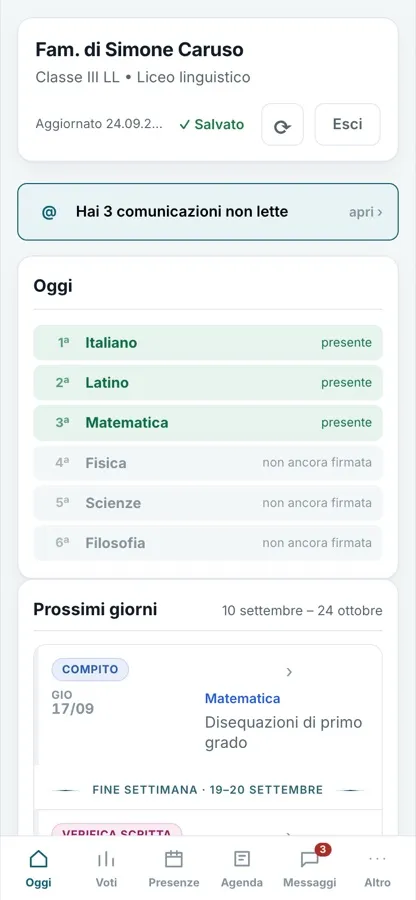
The bar at the bottom takes you where you need with one thumb: Today · Grades · Attendance · Agenda · Messages. The rest is under “More”.
- TodayThe day hour by hour; grey “not yet signed” until the teacher signs.
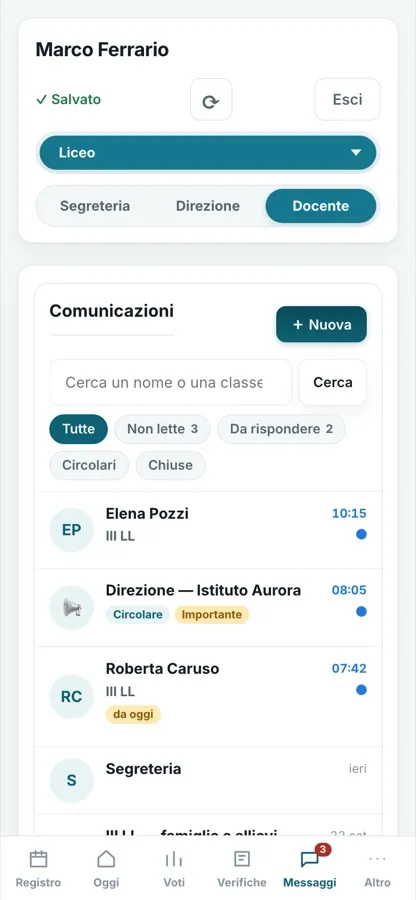
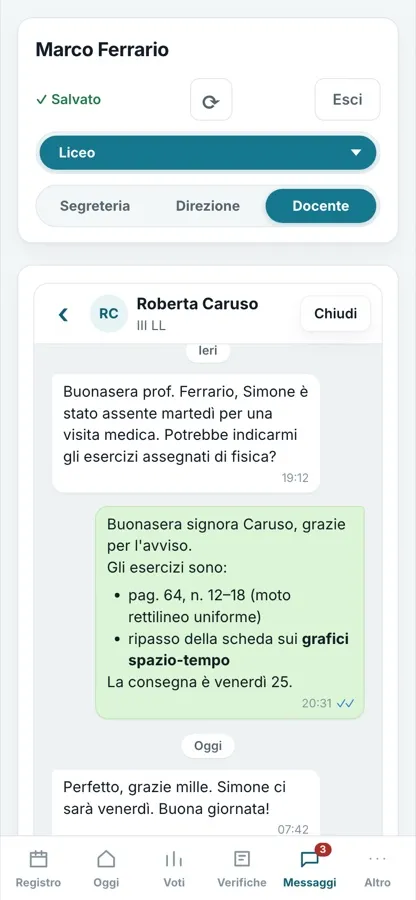
- MessagesThe red dot counts unread messages; you reply from the phone.
- ConversationOne conversation at a time, private between family and school.
1Today
9:41
2Family
9:41
3Messages
9:41
4Conversation
9:41
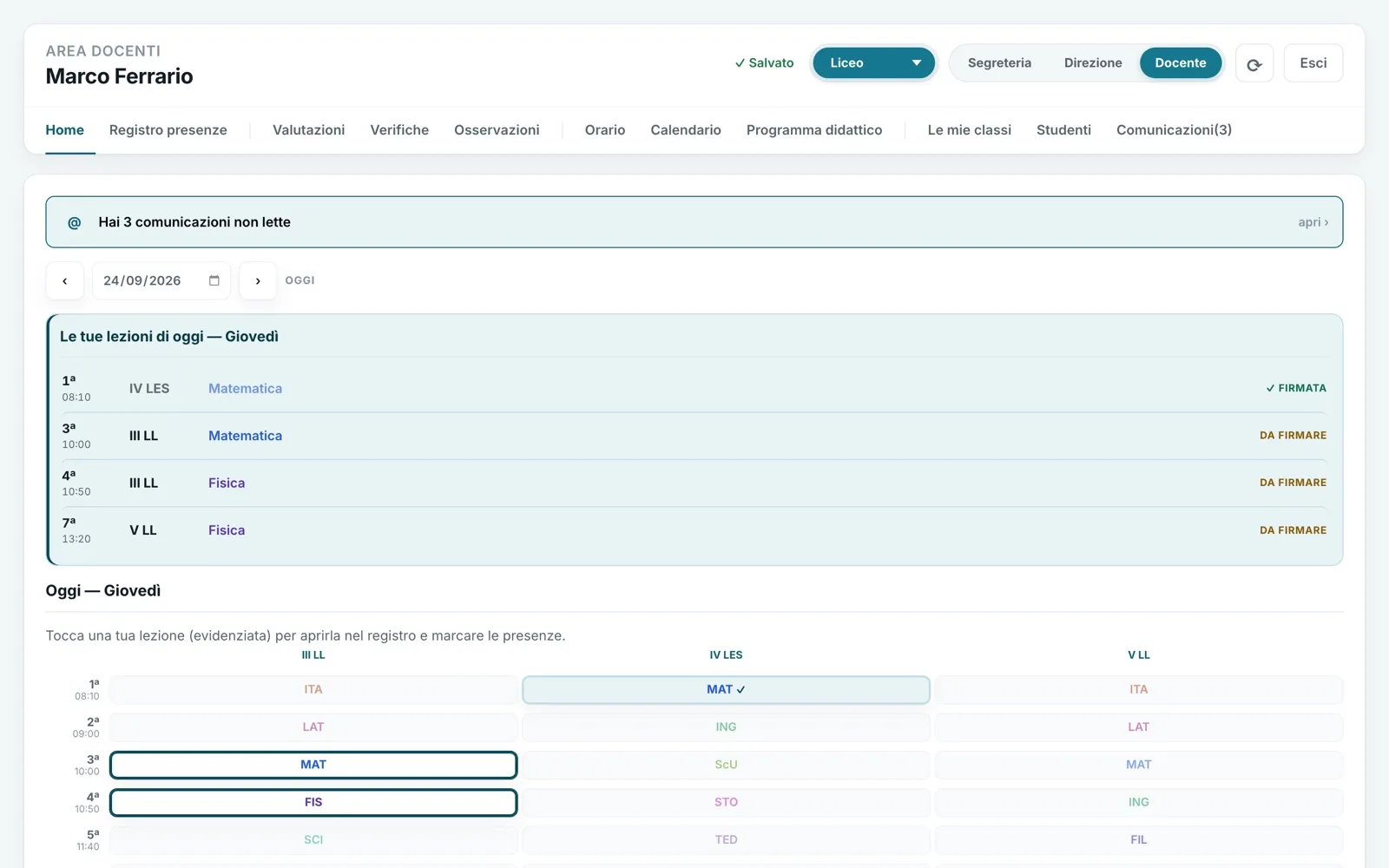
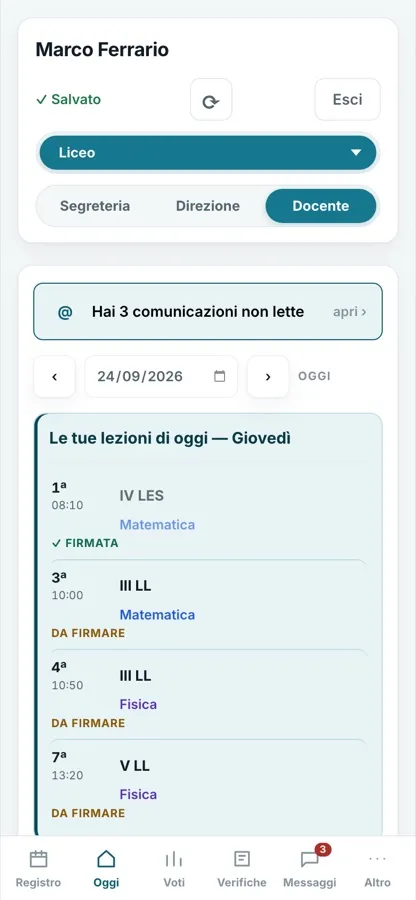
Teachers · Home
The teacher's day,
on one page.
- Unread messagesThe notice at the top, one tap to open.
- Your lessons todayHour by hour, class and subject: signed or to be signed.
- One grid, all classesTap a lesson to open the register: the teacher does not look for the class, the class comes to the teacher.
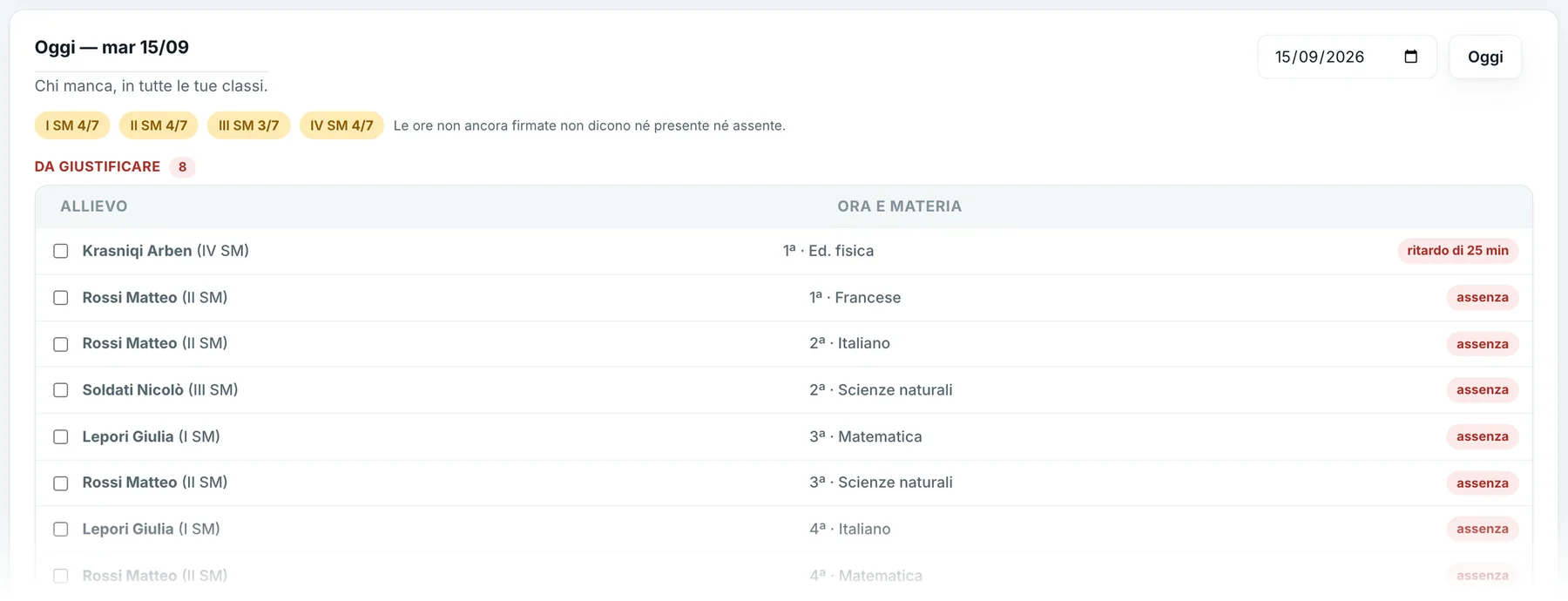
Office · The day
Who is missing today,
in every class.
- Signed hours
- “No absentees” is not confused with “nobody has signed”.
- Who reports
- For each absence: reported by the family or by the school.
- Several hours
- Tick them and close them with “Excuse” or “Unexcused”.
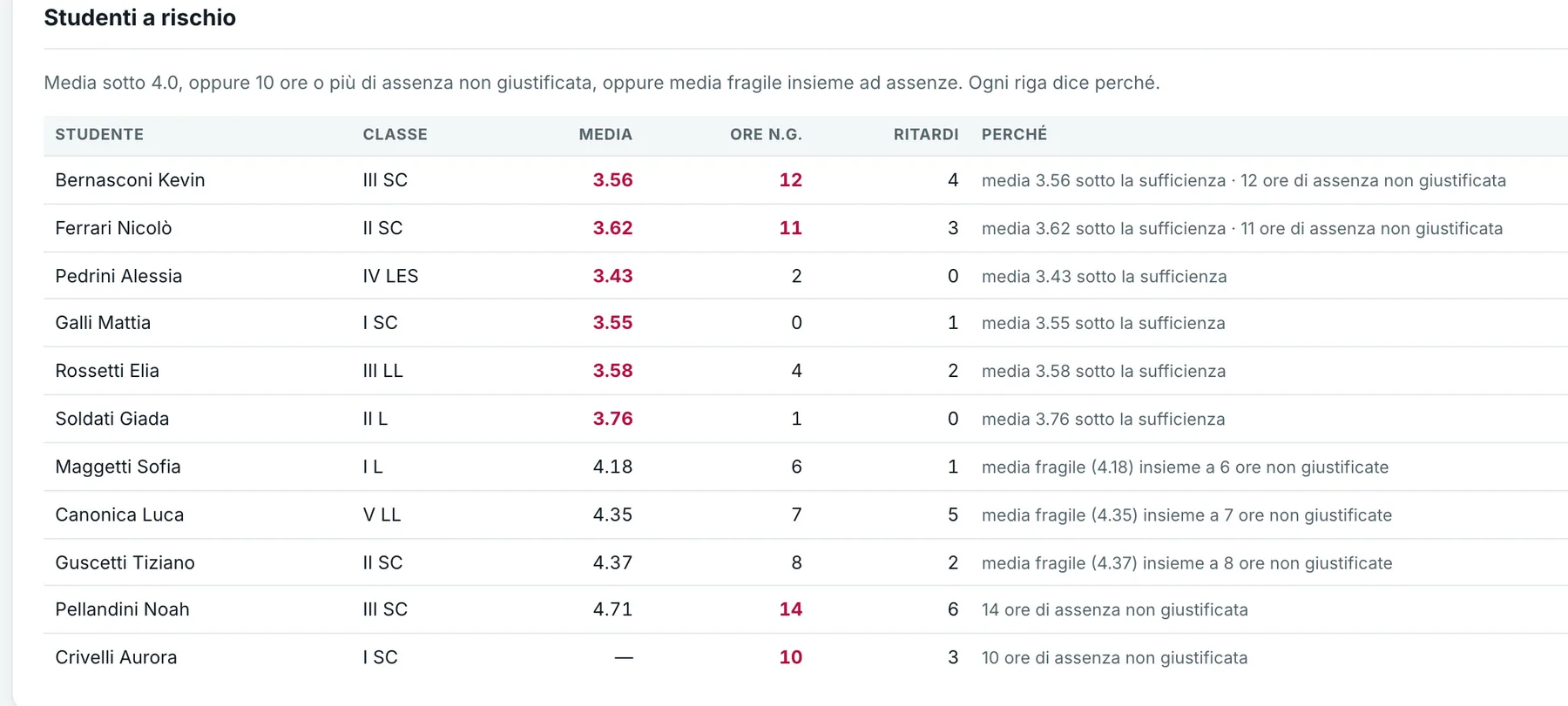
Management · Students at risk
Who needs help,
and why.
- Grades
- Whoever has an average below passing, in any subject that counts.
- Absences
- Whoever accumulates unexcused absence hours.
- Together
- A weak average and absences: the two signals added up.
In short
A whole school,
in a single portal.
Families
- Today, hour by hour
- Grades, attendance and tests
- Absences reported online
- Messages to teachers
Students
- Grades and tests
- Class timetable
- Syllabus
- Everything on the phone
Teachers
- The register in one tap
- Weighted grades
- Tests without overload
- Observations and syllabi
Office
- Who is missing today
- The year's backlog
- Traced corrections
- Timetables and hours count
Management
- Students at risk
- Register completion
- Absences and averages
- By site and track
The screens are the real work, photographed as it is. Names and data are made up.